
Figma has become the dominant browser-based design and collaboration tool for product teams, but its pricing structure has grown more complex, and more expensive at the higher tiers, since its 2025 pricing overhaul. This review covers what small teams and freelancers actually get at each price point, and whether the cost genuinely holds up.
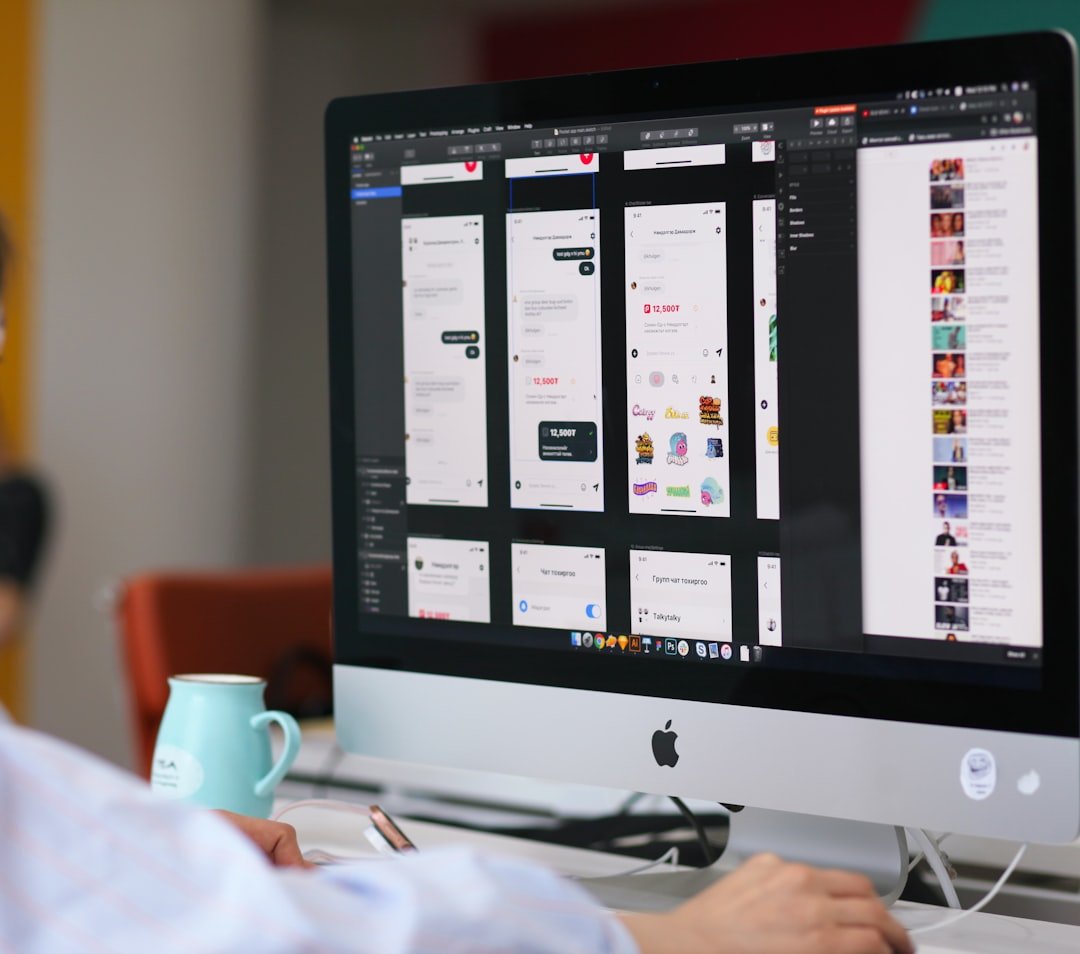
Photo by Budka Damdinsuren on Unsplash
What Figma Actually Does
Figma is a cloud-based design workspace where multiple people can edit the same file simultaneously with no version conflicts, each person’s cursor visible with their name attached and edits appearing in real time with minimal latency. Beyond core interface design, it covers wireframing, prototyping, a component and design system architecture, and Dev Mode for handing finished designs off to developers with clean, exportable code.
Pricing Breakdown for Small Teams
| Plan | Price (Annual Billing) | What You Get |
|---|---|---|
| Starter (Free) | £0 | 3 design files, 3 FigJam files, core tools, limited version history |
| Professional | ~$15/editor/month | Unlimited files, full version history, shared team libraries |
| Organization | ~$45–55/seat/month | SSO, branching, centralised admin controls, shared fonts |
| Enterprise | ~$90/seat/month (often discounted 20–35% in practice) | Advanced governance and compliance features for large organisations |
Figma’s 2025 pricing restructure replaced separate per-product seats with unified seat types: Full, Dev, Collab, and View. This matters significantly for small teams, since not everyone needs a full editor seat. A team with 2 designers, 2 developers, and 2 stakeholders can mix Full seats for designers, cheaper Dev seats for developers, and free View or low-cost Collab seats for stakeholders, rather than paying full price for every team member.
Is the Free Plan Enough?
The free Starter plan is genuinely usable for solo freelancers, students, and short evaluation periods, and it has no time limit, unlike a traditional trial. However, the 3-file limit becomes a real constraint within a week or two of active professional use, functioning more as a demo tier than a viable long-term option for any team doing ongoing client or product work.
Is Professional Worth It for Small Teams?
At roughly $15 per editor per month on annual billing, the Professional plan is widely regarded by reviewers as fair value for small teams needing unlimited files, full version history, and shared libraries. One notable gap: Dev Mode, the feature that generates clean, exportable code for developers, is not included in Professional by default and requires an add-on, meaningfully increasing the effective per-seat cost for teams doing serious design-to-development handoff.
Real Limitations Worth Knowing
- Cloud-first by design: Offline functionality is limited, which matters if your team regularly works without a reliable internet connection
- Steep jump to Organization tier: The move from Professional to Organization represents a significant price increase for features like SSO and shared fonts that many mid-size teams genuinely need but that aren’t available at the lower tier
- AI credit limits: Since March 2026, Figma has enforced credit limits on its AI features, adding a variable cost layer that wasn’t previously part of the pricing model
- Not ideal for complex illustration work: Reviewers consistently note that dedicated tools like Adobe Illustrator remain better suited to detailed illustration and typography work than Figma’s interface-focused toolset
Figma vs Alternatives
For full website building with a CMS and complex layouts, dedicated tools like Framer or Webflow offer more mature feature sets than Figma Sites, Figma’s own lightweight publishing feature. For teams specifically prioritising cost over Figma’s collaboration depth, alternatives like Penpot (open source) or Sketch (macOS-only) are worth evaluating, though neither matches Figma’s real-time multiplayer collaboration architecture, which remains its clearest differentiator in the market.
Is Figma Worth It for Small Teams in 2026?
For teams of three or more where design, review, and developer handoff happen in a regular weekly loop, the Professional plan’s cost is consistently described by reviewers as paying for itself through reduced meeting time and faster iteration. For solo freelancers or very small agencies just starting out, doing the maths carefully, factoring in the free tier’s real limitations against the Professional plan’s actual cost for your specific team size, is worth the time before committing.
If you’re also choosing a platform to actually build and host your website, our Squarespace vs WordPress comparison covers that side of the small business software stack.
Frequently Asked Questions
Is Figma’s free plan enough for a small team?
It’s genuinely useful for solo work or short evaluations, but the 3-file limit typically becomes restrictive within a week or two of active team use.
Does Figma Professional include Dev Mode?
No, Dev Mode requires a separate add-on or a Dev seat, meaningfully increasing the effective cost for teams doing regular design-to-development handoff.
Why is the jump to the Organization tier so expensive?
It adds SSO, shared fonts, and centralised admin controls, features many mid-size teams need, but Figma prices this tier significantly higher than Professional.
Are there cheaper alternatives to Figma?
Yes, including Penpot (open source) and Sketch, though neither currently matches Figma’s real-time multiplayer collaboration depth.
Conclusion
Figma remains the dominant collaborative design tool for good reason, and for small teams of three or more doing regular design work, the Professional plan’s cost generally holds up against the productivity gained. Solo freelancers and very small teams should carefully weigh the free plan’s genuine limitations against Professional’s actual cost for their specific team composition before committing, particularly given the added cost of Dev Mode for teams handing designs directly to developers.